

Invoking Suncal and Options
To invoke Suncal, type the following command:
$ suncalSuncal was designed without a graphical utility so it can be run as an IRIS Exec Task.
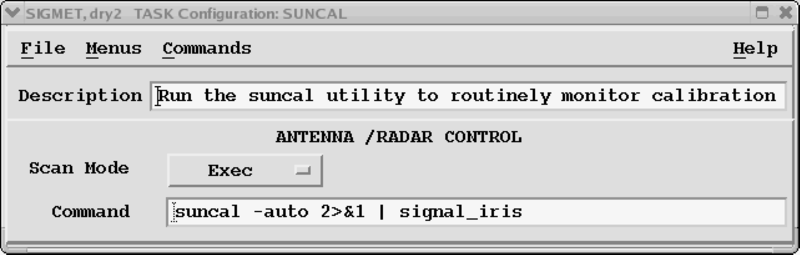
When running automatically from the IRIS task scheduler, Suncal produces an IRIS error message for an error (such as the measured sun peak power is below a specified threshold), or a configuration drift (such as the antenna offset errors are larger than desired, or the LDR offset is to big). This is useful for running Suncal routinely without operator interaction and still being able to monitor the calibration of the receive chain.
The 2>&1 | signal_iris command causes IRIS to signal the error output
from Suncal.
Suncal may also be run interactively from the command line. If run interactively, the current status is reported on the terminal as well as reporting the calibration results. There is also an option to process an input BEAM product(s) that may have been created earlier. This is useful for remote testing. For example, you can run Suncal and then send Vaisala the resulting BEAM product which we can then process for analysis.
–auto |
Do not log progress on the terminal, skip update. The |
–full |
Do full scan, process, and update phases (default). |
–help |
Print this list. |
–process:<path> |
Process an existing BEAM product. |
–resave |
Reads and saves the suncal.conf file with comments and all new fields filled with default values. |
–update[:<file>] |
Interactive update from results, most recent if blank. |
–version |
Prints the version number. |