

Using the Archive Menu
The Archive menu controls the host archive devices.
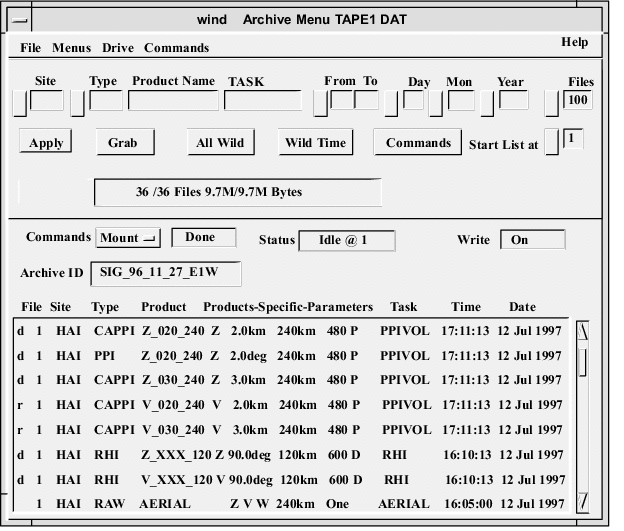
- Filter Menu
- You can use the standard filter menu for selecting the products that appear in the Archive Log area.
- Archive Control Area
- The middle of the menu provides commands to control archive operations such as mount or record, and displays status information for the archive device functions.
- Archive Log Area
- The bottom of the menu shows what product files, if any, are recorded on the archive that is currently mounted.
- Make sure the archive device is configured in .
-
In IRIS, select and, for example, do the following:
-
Mount an IRIS tape or disk (archive media) and start the recording process.
-
Retrieve product files and store them on the system disk.
-
- All operations are directed to a selected archive device. To select an archive device (tape or optical disk), select .
-
Select a drive from the list.
The choices vary depending on the drives configured for your system. If no archive drives are available, the list contains the entry
UNKNOWN. - To direct output to the archive device, make send requests in .