

Configuring Network Polling
In most cases, you do not need to change the polling scheme of IRISnet.
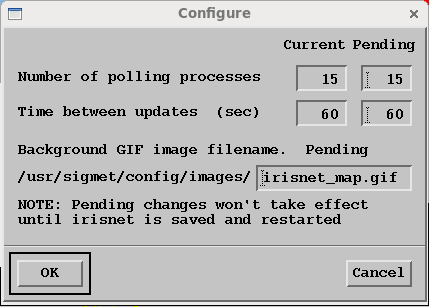
- Select .
-
Define the Number of polling processes.
This is the number of background processes that wake-up after a specified number of seconds (Time between updates) and check the state of the IRIS's that are displayed in IRISnet.
The number of polling processes is 2 ... 15. The default number is 15.

If an IRIS computer is removed from the IRIS network, but IRISnet still shows the computer, the polling process that was checking the removed computer hangs for a 2 minute timeout. This leaves one less polling process for checking IRIS status.
It is possible to hang IRISnet if the entire network goes down and all polling processes are in timeout.
-
Define the Time between updates (seconds).
This is the time in seconds the polling processes sleeps. When they wake they check the status of the IRIS's in the irisnet and then sleep again. The time between updates in seconds is 15 ... 120. The default time is 60 seconds.
- To take the changes into effect, save, exit, and restart IRISnet