

Launching IRIS Applications
Launch applications either on your workstation or remotely over the network using the IRIS Tools menu.
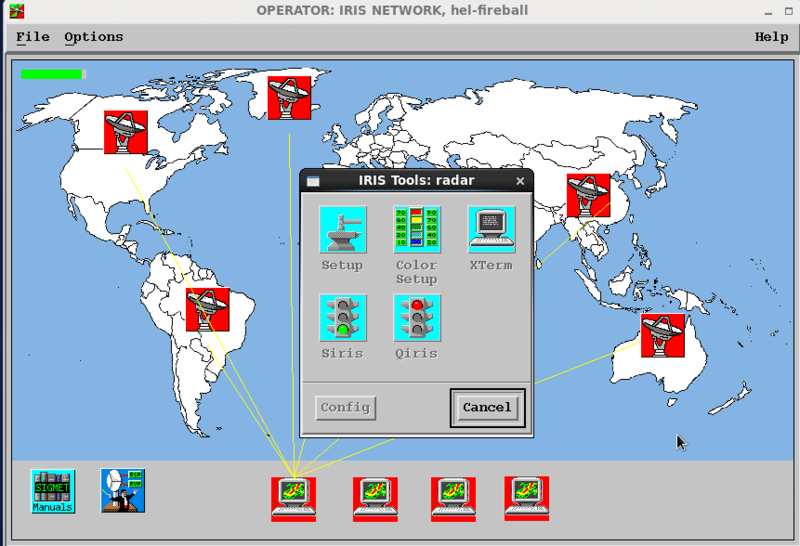
 | To open any of these utilities on a remote machine, the SSH key of the local machine must be copied to the remote machine so the SSH connection can be made without typing a password. |
- Double-click a network node icon to show the IRIS Tools menu for that node as shown in the example above.
-
Select an IRIS function.
- Setup– the major configuration utility in IRIS (see IRIS and RDA Utilities Guide (M212925EN)).
- Color Setup– to configure the IRIS color scales (see IRIS and RDA Utilities Guide (M212925EN)).
- Siris and qiris– to start and stop IRIS.
- Utilities– to start the graphical utilities menu (see IRIS and RDA Utilities Guide (M212925EN)).
- Overlay– to edit your background maps (see IRIS and RDA Utilities Guide (M212925EN)).
- Real–time Display– to see an instant radar display.
-
Xterm– starts a remote X-terminal.
- Sigaudio– to control the Iris sound features
- VRibbon– for optional IRIS/TDWR Option.
- Runways– for optional IRIS/TDWR Option.
- Ribbon setup– for optional IRIS/TDWR Option.