

Accessing IRIS menus
-
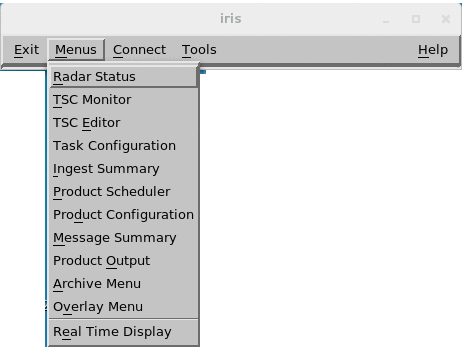
Select Menus and choose a menu from the list.
-
Within each menu, select File to perform common operations.
File Menu Menu option Description Open
Load (Menus with live data such as Overlay)
Show a list of configuration files you can load in the menu. Save as Save your configuration under the same name or under a new name that you specify. Delete Delete the configuration file that is currently loaded in the menu. Print Select one of the following options: - sends the output to the Postscript or color printer specified in the Printer Setup menu.
- sends the output to a file in your default home directory. The file name consists of a three-letter abbreviation of the menu name, the current date and time, and the .xwd file extension.
- lets you configure the printer on your system.
Close Return to the IRIS menu bar. - Select Update Now to sync the information when many IRIS menus are running at the same time.
- Select Reset Size to reset the menu to its default size.