

Shutting Down IRIS Host from the Operating System
Typically, IRIS is stopped only for maintenance reasons, such as before halting or rebooting the server.
- Login as radarop.
-
In a terminal window, type: iris&
The IRIS Menu opens.
- Connect to localhost, or to a configured radar hostname.
-
To avoid interrupting the current radar measurement and creating an incomplete data
file, finish the current measurement:
-
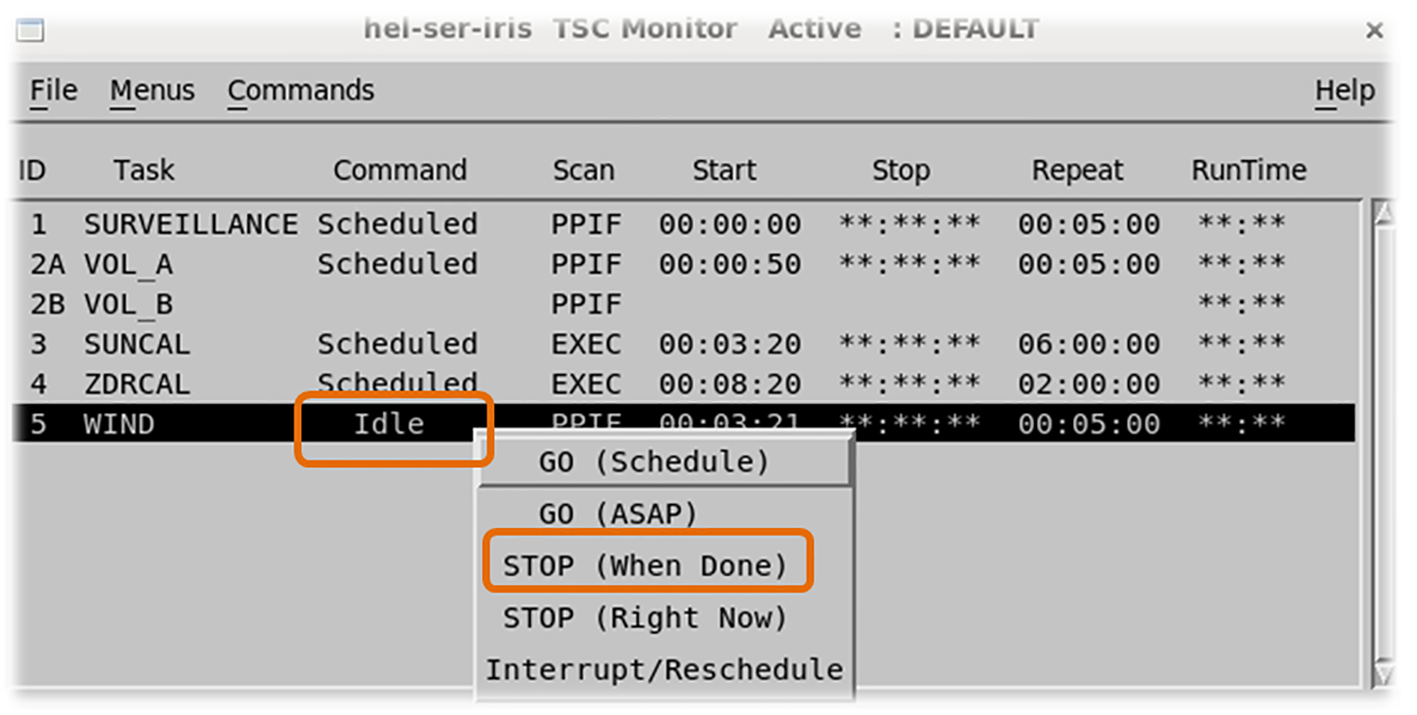
On the Task Scheduler menu, select STOP (When
Done) for all tasks.
-
On the Task Scheduler menu, select STOP (When
Done) for all tasks.
- Open the radar status screen by selecting from the upper menu bar.
-
On the radar status screen, select Ingest Process to change the
status field to Stopped.
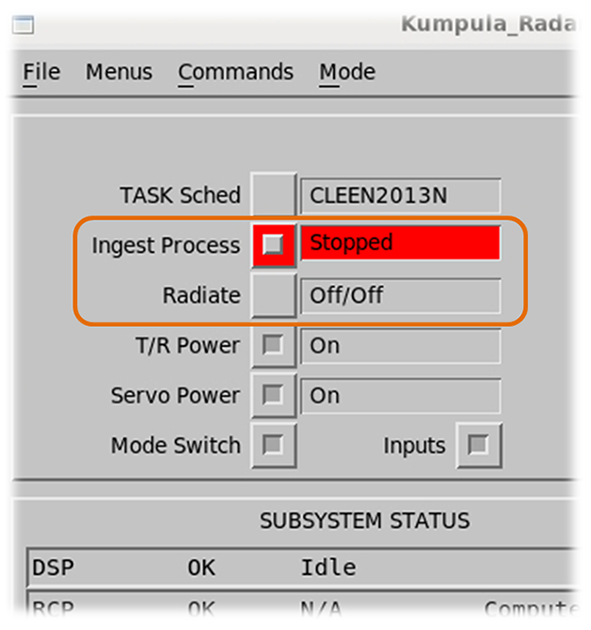
- Set Radiate to Off/Off.
- Close the IRIS Menu bar.
-
In the operating system prompt, type:
qiris -
If necessary, shutdown the server from the command line, by typing:
poweroff
IRIS goes through a shutdown procedure to leave the radar and antenna in a safe, non-operating state. IRIS clients are disconnected.