

Product Transmission and Display
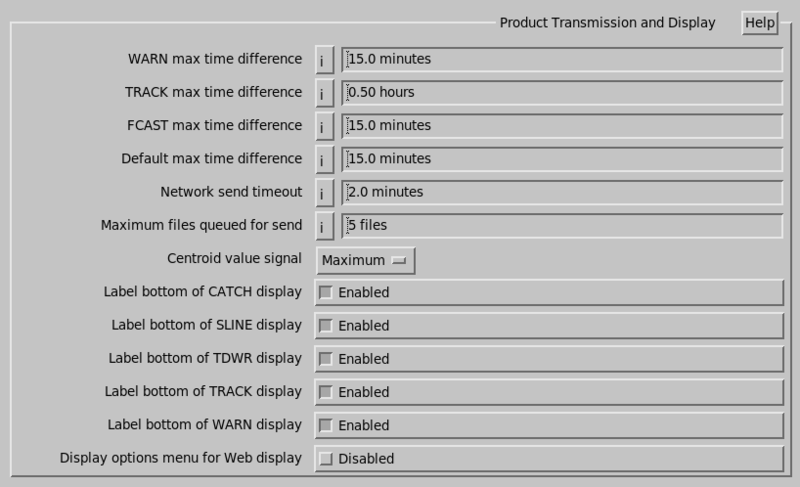
- WARNING max time difference
-
IRIS allows the automatic display of a warning overlay on top of any
PPIor earth projection product.When the product is displayed, the
WARNproduct with the nearest time is overlaid. However, if the time difference exceeds this value, it is not overlaid.The recommended value is 15 minutes. A value of 0 disables the check.
- TRACK max time difference
- If the time difference between the most recent point in the
TRACKproduct and the data time of the image exceed this limit, then the overlay is not drawn. - FCAST max time difference
- Similar for forecast products.
- Default max time difference
- Similar for all other product types.
- Network send timeout
- Each time IRIS starts a network transfer, a timer is also started. If the timer completes before the transfer completes, the transfer is aborted. This prevents an infinite lockup of the system in some cases where the network stops working in the middle of a transfer.
- Maximum files queued for send
-
Enter the maximum files that IRIS queues for sending to a network output device, other devices have no limit (for example, in the event of a network failure). When the link is restored all of the queued files are sent. The order of transmission is as follows:
- All
STATproducts, oldest first. - All
RAWproducts, oldest first. - All other products, newest first.
The receiving machine must then catch-up by processing all the data.
For critical real time applications, keep the number of backlog files in the queue small (for example, 2 or 3) so that real time operation can resume quickly.
For a system where the data archive is important, set the number to be large, for example, to 50, or to 0. A value of 0 means the maximum feature is disabled, and files are queued with no limit. This limit applies only to network devices.
- All
- Centroid value signal
- When
WARNproducts are generated or arrive over the network, they can optionally generate a signal if a warning is detected in a protected area.