

Protected Areas
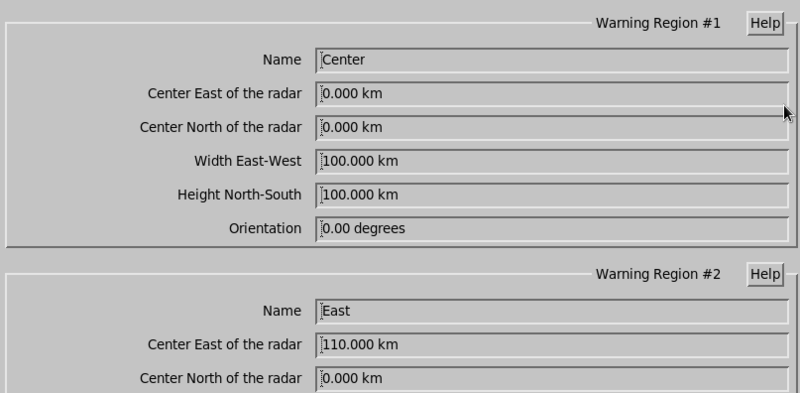
The IRIS warning product
(WARN) allows you to define up to 32 protected areas.
If the warning results fall into one of the selected protected areas, a signal is sent to all the IRIS terminals.
Each protected area consists of a rectangle. You can define the location, size, and orientation.
 | If the area you wish to protect is of an irregular shape, you can piece it together with several areas. |
- Name
- Type a name for the region. The name can be up to 12 characters long. If the name is blank, then the region is undefined and disabled.
- Center East/North of radar
-
Type the location of the center of the protected region in kilometers relative to the radar.
Type values for West and South as negative numbers.
- Width East-West
- Enter the width of the region in kilometers. These numbers cannot be negative.
- Height North-South
- Enter the height of the region in kilometers. These numbers cannot be negative.
- Orientation
- You can rotate the region specified with the previous questions by up to 180° clockwise from the straight orientation.