

Window Alert Configuration
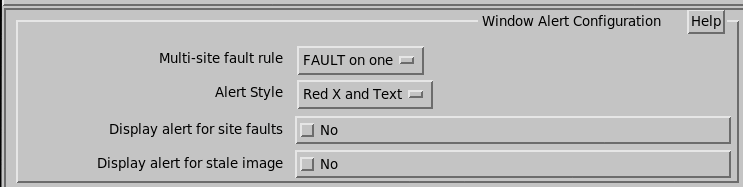
Window alerts display important fault information by showing a large, X on top of the display, possibly with a text message indicating the reason for the fault. These faults indicate that the displayed data is suspect.
- Multi-site fault rule
-
Controls the widow alert, and the summary shown on the RST menu.
You can display a fault if either any one system has failed, or require that all systems fail. The list of sites to consider is selected below in the site name section.
- Alert Style
-
Select one of the following: Disabled, Red X and Text, Red X Only, and Text Only.
Select Disabled to turn off the feature and the remaining questions.
- Display alert for site faults
- Enable alerts based on the site fault summary shown on the RST menu. Note that an alert is shown for timeout and critical faults only. Normal faults do not alert.
- Display alert for stale image
-
Enable an alert when the image displayed on the screen is not current.
In auto-update mode, this prevents operators from seeing an old image for many hours without realizing it.