

Creating USB Installation Media on Windows
These instructions apply to Windows 10 and Windows 11.
When creating USB installation media on
Windows, use a standalone program such as rufus (available at http://rufus.akeo.ie/).
Follow the on-screen instructions.
-
Launch
rufusby double-clicking the program icon. - Insert a USB drive in the USB port.
-
Select the drop-down list to the right of the Create a bootable disk
using, and select ISO Image.
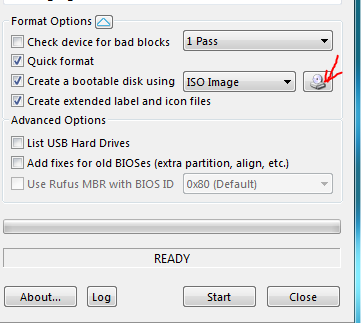
- Select the Disc icon and then select the iso image.
-
Select Write in DD Image mode if a warning for the hybrid ISO
image is displayed.
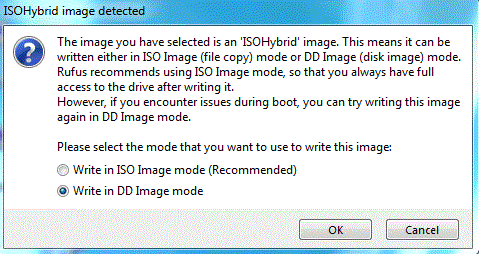
- Select Close.