

Printer Specific Parameters
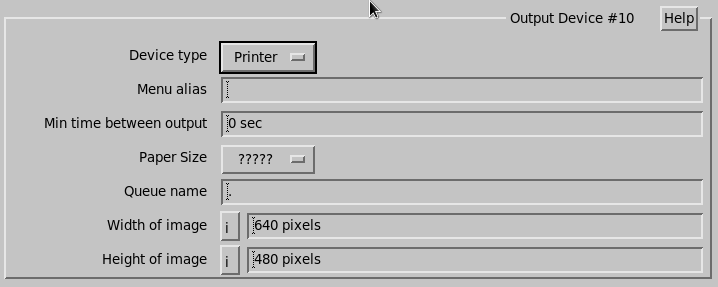
 | This setup is for printer output devices selectable from the Product Output Menu. Screen dump style printing is configured from the printer/setup menu. Only Postscript printers are supported. |
- Paper Size
-
Select the size of paper in your printer.
Choices are 8.5 × 11, 8.5 × 14, 11 × 17, A4 and A3.
If the paper size is wrong, the printer does not print.
- Queue Name
-
Enter the name of your printer queue.
To see a list of available choices, type lpstat -a at the UNIX shell.
- Width and Height of image
-
Enter the dimensions of the print image to be generated and sent to the printer.
Postscript printers do not rescale to fit the screen.