

Window Specific Parameters
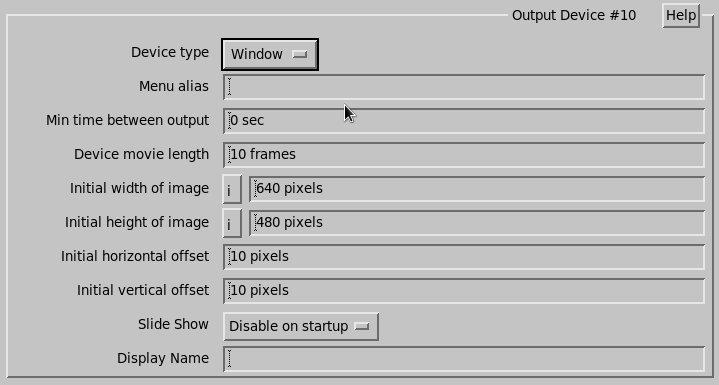
- Minimum time between output
- Adds a "skip" for products sent to a particular destination.
- Device movie length
- Enter the number of frames in the Quick Look movie for that device, usually 20.
- Width/Height of image
-
Specify the width and height of the target image.
This is the initial size and the size can be changed by the mouse. The space reserved for Quick Look movies is based on the movie length and default image size.
If you change the image size during operation, the maximum movie length changes
- Horizontal/Vertical offset
-
Specify the initial position of the window on the screen. This is the upper left corner.
On SGI systems an offset of 0, 0 places the window such that the window manager's border is not visible.
- Slide Show
- Specify if the window should power up in slide show mode or not.
- Display Name
- Specify the workstation display and screen number on which the window is to appear.