

Output Device General Specifications
You configure the output device in .
Number of output devices

Before adding an output device, update the Number of output devices field with the new total number of output devices for your system setup.
The maximum number supported is 200. For information on increasing the value, see File and System Quotas.
General Output Device Questions
For each output device, the questions vary depending on the device type, the following questions always appear.
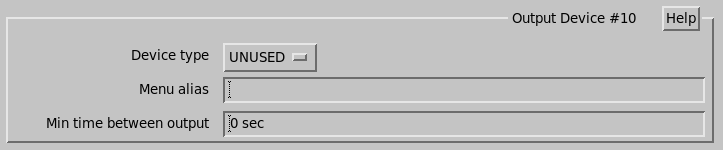
- Device Type
- Enter the device type Archive, Link,Network, Printer, Window, or UNUSED.
- Menu alias
-
Select a text alias that is displayed in the pull down menus where you are selecting an output device.
The alias allows easy identification of output devices. For example, you may have window outputs on several different workstations, and you could place the node name here.
- Min time between output
-
For slow network outputs, you can pace the outputs such that some of the outputs are skipped by selecting a pacing time here.
To enable this feature, you must also tag the product header lines with the
Time Filterbit in the Product Output Menu.