

Displaying CATCH
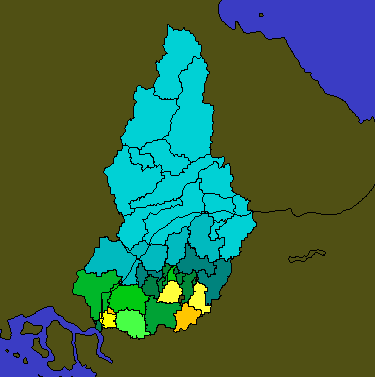
You can display CATCH products in the Quick Look Window, as well as in other display outputs.
The Quick Look Window display for the CATCH product shows either:
-
Color-coded subcatchment map regions where the color code shows the precipitation depth (see example above). The color scale is the rainfall depth scale in mm or inches.
- Colored icons where the icon (a raingage bucket shape) is drawn in the color code for the precipitation depth. This display style is used when the CATCH product is overlaid on another product.
-
If needed, configure the color scales and the units in the Color
Setup utility.
See IRIS and RDA Utilities Guide (M212925EN) .
- In the Quick Look Window, display a CATCH product.
- To choose a display style, select
-
Right-click the mouse on a subcatchment
A bar graph appears showing the hourly precipitation accumulation for the integration time.
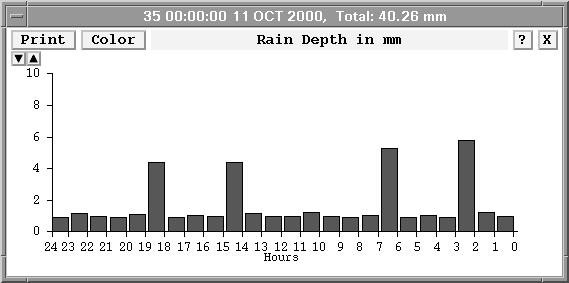
- To select the bar graph vertical scale, use the up and down indicators next to the top of the scale.