

DSP Noise Sampling
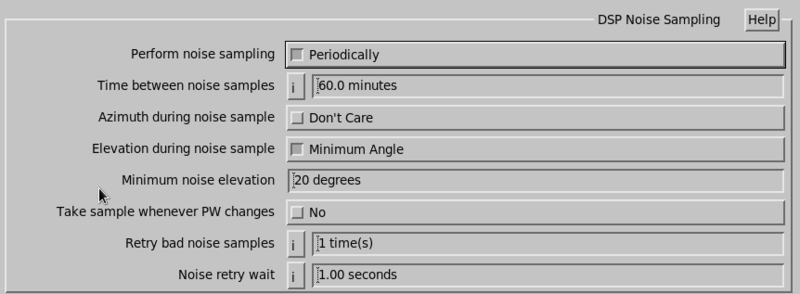
- Perform noise sampling
-
Use this flag to disable automatic noise sampling done by IRIS. This is appropriate for passive ingest. It can save scan time, and avoid contaminated samples.
Modern IF receivers do not have a noise level drifting problem. When disabled, noise samples are taken from the values stored inside the RVP, be sure to type in and save the powerup noise levels for each pulse width. Operational noise levels are not taken from the value found on the last zauto calibration.
- Time between noise samples
- When a task starts, if it has been at least this long since the last noise sample, a new sample is taken. This is typically set to 10 minutes.
- Azimuth/Elevation during noise sample
-
Select either Don't care or Minimum Angle.
If you select Minimum Angle, an entry box appears where you can specify the azimuth in degrees at which to take the noise sample.
- Take sample whenever PW changes
- If the signal processor cannot store separate noise levels for each pulse width, then you must select Yes.
- Retry bad noise samples and Noise retry wait
-
Use these questions to configure the noise sample interference detection.
Ingest attempts to detect the case in which during the noise sample you get interference from another pulsed radar. This interference causes a higher noise sample, and cause uncalibrated data, similar to hitting the sun at noise sample time.
Each time Ingest detects interference it sends the message Interference in noise calculations.
Ingest then waits the retry wait time (typically 1 second) and tries again. This is repeated up to the specified number of times.
The assumption is that the other radar is a scanning radar, so if you wait 1 second, it should no longer be pointed at you. After the last attempt, if it still detects interference, it still runs the scan. If you are getting false positives, you still get the correct data.