

System Type
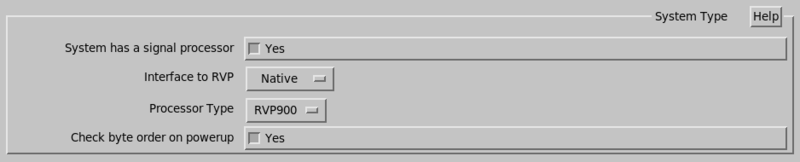
- System has processor
-
- Select Yes for radar systems. When selected, additional configuration parameters are shown.
-
Select No for Analysis systems.
- Interface type
-
-
DspExport
-
Native
-
SCSI
For SCSI interfaces, type the SCSI device path in Device file.
For
dspexportinterfaces, you see the following questions:- dspexport host name or IP Address
- Set the host name with the processor.
- dspexport Port
- Set the port number, normally 30740.
- Processor type
- Select your RVP.
- Check byte order on powerup
-
The recommended setting is No.
Select No for systems with a pre-processor that does not support these opcodes.
-