

Radar Status Timing Mode Requests
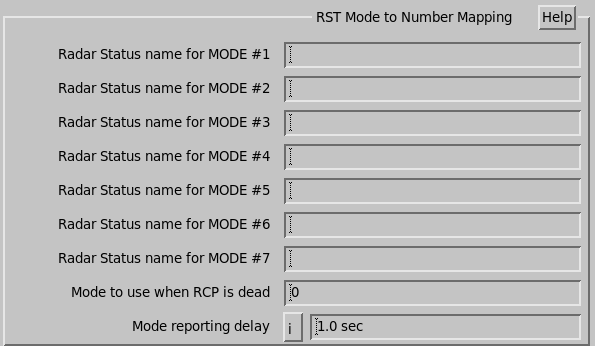
Use these questions to define up to 7 modes. Each mode has a number and a name, corresponding to a Radar Status menu configuration.
When the configuration is changed in the Radar Status menu, the mode is reported back to the RCP. Unrecognized configurations are reported as mode 0.
RCP can also send this mode to the Radar Status menu to change the configuration. A request for mode 0 denotes automatic switch mode, which automatically switches configurations based on warning products.
- Radar Status name for MODE (1 to 7)
- For each 3-bit nonzero mode value, enter the name of an IRIS configuration that is to be activated when that mode is requested.
- Mode to use when RCP is dead
-
This mode is automatically requested by the IRIS antenna driver if it detects that the RCP is dead, that is, that the genuine desired mode cannot be determined.
This is valuable in dual/redundant systems that must switch to a known state when certain errors occur. Setting the mode to 0 does not cause a mode change to occur for a dead RCP.
- Mode reporting delay
- To make sure that the RCP mode is never ahead or behind the IRIS task
scheduler mode, IRIS stops the old task, waits the set delay time, reports the new mode to
the RCP, waits again for the delay, loads the new task schedule, and runs it.
If your system does not use the RCP mode report, then the default setting is 0. Note that if the RST menu switches modes, both modes have the same task schedule, the tasks are not stopped and no delay is applied. The same is true for the product schedule.