

Changing Window Size and Zoom Level
-
On the top of the Quick Look Window, select View.
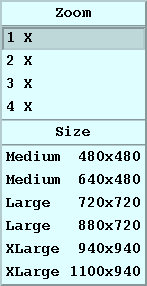
-
To change the zoom, select a zoom level and use the scroll bars to position your
display in the area of interest.
When you zoom, IRIS tries to preserve the center of the display.
-
To change the size, select a resolution.
When you select a new window size, the image is rescaled to exactly fit in the new size. The sizes are the number of pixels in the image area for the window (not including the legend and boarders).
- Square image areas are recommended.
- Rectangular image sizes are useful if the legend information is included in the image itself (selectable as an output option in the QLW or in the Product Output Menu in the case of automatic outputs to a window).

Try square images and use the Legend icon  to toggle the legend on/off.