

QLW Live Action Tool: Product Generation and Display
The Live Action tool allows you to configure, generate, and display many IRIS products. If one of these products is on the display, the Live IRIS tool becomes active.
Select the tool to show a light version of the relevant product configuration menu. Supported live action products include: BASE, CAPPI, PPI, SHEAR, SRI, TOPS, VIL, and XSECT.
Example: Live Action Tool Example for CAPPI
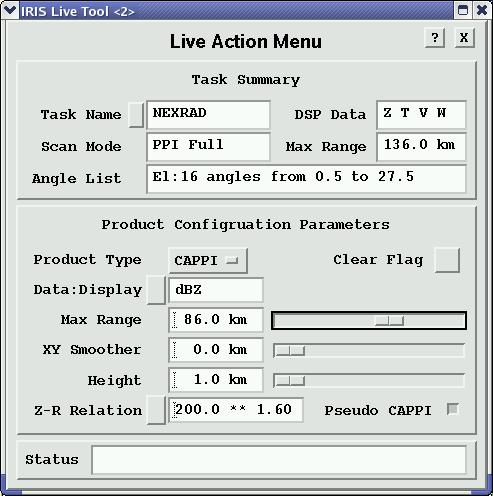
You can modify the product settings on the fly such as the cross-section line position or CAPPI height, and see continuous live updates on the display, typically at more than 10 frames per second.
For example, the VIL layer top can be scanned to observe the VIL at various heights above the freezing level.
You can scan the
CAPPI hit scanned up and down to observe the vertical structure of
the precipitation echoes. The Live menu also shows the type of
display (Z, T, V,
W).
Since the Live Action tool regenerates the product, it is necessary to send RAW data to the display so that the ingest files are available. Also, the display must be licensed for the Live Action tool.