

Selecting and Planting Home Points
You can define home points ( ) to measure the
position of a weather radar feature relative to a selected location.
) to measure the
position of a weather radar feature relative to a selected location.
For example, Thunderstorm located 120 km at 260° from the airport.
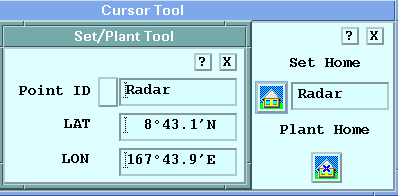
In the Cursor tool, define home points by doing one of the
following:
-
Use your mouse to position the cursor and select Plant Home.
The Home point, indicated by an Xmoves to the cursor.
-
Select the Set Home icon to show the Set/Plant Tool.
Select a Point ID and then the Home point from the list.