

THICK: Echo Thickness Product
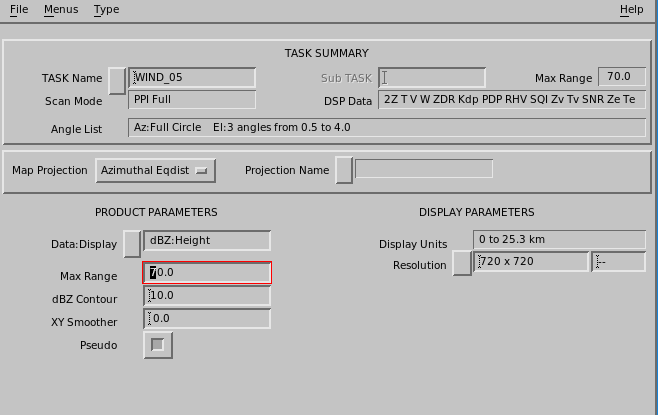
THICK shows the thickness of cloud echoes.
THICK is the same as the difference between the TOPS and BASE values.
When calculating THICK, for each output pixel in the product, the algorithm searches downward through successive elevation angles to find the height at which the signal goes above the user-specified dBZ Contour. Similarly it searches up from the lowest elevation angle to find the height at which the signal goes back down below the contour. The thickness is the difference between these values.
The final output of the product is a color-coded map of echo thickness heights for the selected dBZ Contour. You can also use to display the average reflectivity in the same layer.
THICK is affected by the same limitations as the TOPS and BASE products.
- Select .
- In Data : Display, choose dBT Height, dBZ Height, or dBZc Height.
-
In Max Range, choose the maximum range for the product.
Note that earth curvature effects are greater at greater ranges. You can display a PPI at your lowest elevation angle and use the cursor tool to see what heights are possible to observe at various ranges.
For example, for a 0.5° elevation angle at 100 km (62.1 mi), the beam is centered at 2.3 km (1.4 mi). Therefore it is not possible to detect echo bases lower than this.
-
In dBZ Contour, select the
dBZthreshold for the echo base. -
Select Pseudo for all pixels at which the lowest elevation angle
is above the contour to use the height of the lowest elevation angle as the base.
Similarly, all pixels at which the highest elevation angle is above the contour use the height of the highest elevation angle as the top.
-
Apply the AZ/EL Smoother.
Enter the values in degrees, first for the azimuth and then for the elevation direction.
Typical values are 1.0, 1.0.