

RAIN-N: N-Hour Rain Accumulation
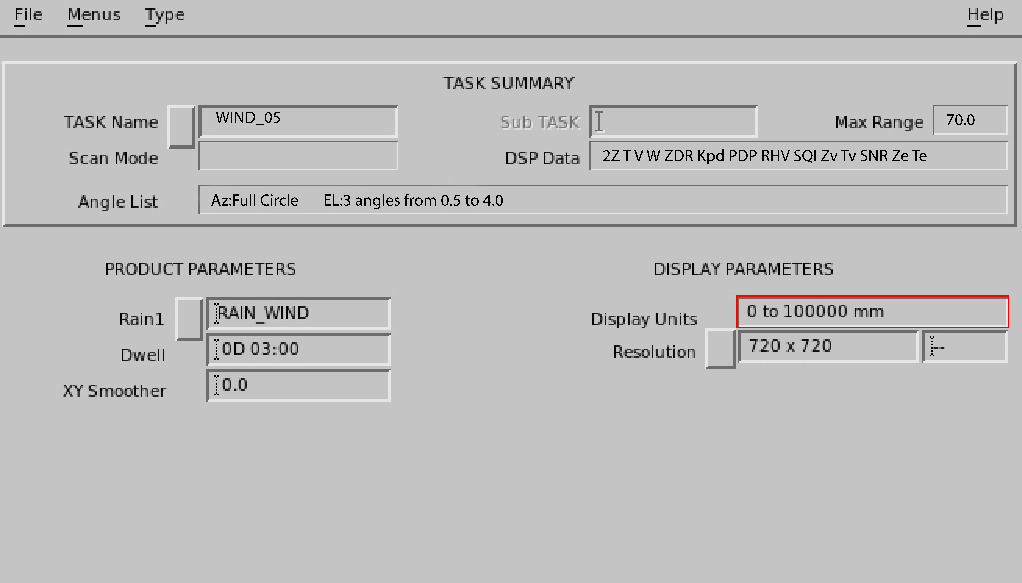
RAINN is
rainfall accumulation of the last N hours, where N
is selected by the user.
RAIN-N is a product
of a product: You can sum any number of hours of individual RAIN1
products. The only limitation is the number of RAIN1 products stored
on disk. The product output shows the last N hours of accumulation.
- Select .
-
Specify the product name.
When you specify the name for the RAIN-N product, it is a good idea to indicate the integration time in the name, in the example,
03_HOUR.This makes it easier to identify the product in the Product Scheduler and Product Output menus.
-
Configure the RAIN-N product:
- Rain1
-
Specify the product name of the input hourly RAIN1 product by selecting the Rain1 button and choosing from a list of products or by typing the name in the field.
When you enter a product name, the associated task information is displayed in the TASK Summary portion of the menu.
- Hours
- Specify the number of hours to integrate. When the product runs, it
integrates data for the last
Nhours. - Color Scale, Levels, and 1st Level/Step
- The color levels can be specified, but the resolution is fixed by the resolution of the RAIN1 configuration.